

Online ECU Tuning Portal Support: A Complete Guide
Table of Contents
- What Is an Online ECU Tuning Portal?
- How ECU Tuning Technical Support Works
- Understanding ECU Tuning Portal Turnaround Time
- Remote ECU Tuning Tools and Device Options
- Custom ECU Tuning Files: Request, Delivery, and Variants
- Getting Started: Step-by-Step Portal Workflow
- Common Questions About Portal Support
- Frequently Asked Questions
Last Updated: October 14, 2026
What Is an Online ECU Tuning Portal?
An online ECU tuning portal is a web-based platform that connects vehicle owners and professional tuners, allowing customers to upload their vehicle's engine control unit files, request custom tuning modifications, and receive optimized ECU files without visiting a shop in person, all backed by responsive ECU tuning portal support. Think of it as a digital bridge between your car and the tuner's expertise.
The portal simplifies what used to be a time-consuming process. Instead of scheduling appointments, driving to a tuning facility, and waiting days or weeks for results, you can now manage your entire tuning request from your phone or computer. N75 MotorSports built our online ECU tuning portal specifically to reduce wait times and give customers direct control over their tuning workflow.

Here's what makes these portals valuable: they handle file uploads, secure storage, version control, and delivery of multiple tuning variants. Most platforms also let you track your request status in real time.
How ECU Tuning Technical Support Works
Technical support for ECU tuning portals operates in layers. The first layer is self-service: most portals include detailed guides, video walkthroughs, and FAQs that cover account setup, file uploads, and device compatibility. If you're comfortable following step-by-step instructions, you can complete the entire process without contacting anyone.
The second layer is email-based support. When questions arise, whether about file formats, device registration, or tuning options, you can reach the tuning team directly through ECU tuning portal support channels. Response times vary widely across providers. N75 MotorSports responds to technical inquiries at cs@n75tuning.com, and our team provides specific guidance on which files to upload, how to register your device, and what to expect during the flashing process.
The third layer is technical troubleshooting. If your device won't connect, your file fails to write, or you encounter error codes, support teams walk you through diagnostics. This might involve checking your device firmware, verifying OBD cable connections, or confirming your vehicle's ECU compatibility.
Understanding ECU Tuning Portal Turnaround Time
Turnaround time for ECU tuning files depends on several factors. The fastest turnarounds happen when you provide complete information upfront: your vehicle's year, make, model, current modifications, and a clean ECU read file.
Delays typically occur when critical information is missing. If you don't specify your vehicle's exact ECU version, the tuner has to ask follow-up questions. If your ECU read file is corrupted or incomplete, they may ask you to read it again.
N75 MotorSports offers staged tuning across all supported Hyundai and Kia platforms. When you submit a tuning request through our portal, you receive your OEM baseline file first, then custom variants based on your modifications and preferences. The portal tracks your request status so you know exactly where you stand.
| Stage | Typical Timeline | What Happens |
|---|---|---|
| File submission | Same day | You upload ECU read and vehicle info |
| Initial review | 24 hours | Tuner confirms file quality and compatibility |
| Baseline generation | 24-48 hours | OEM file sent for initial testing |
| Custom tuning | 24-48 hours | Modified files delivered with variants |
| Total average | 3-5 business days | Complete from submission to delivery |
Remote ECU Tuning Tools and Device Options
Cellphone-Based Flash Devices
Cellphone-based flash devices represent the most accessible entry point for DIY tuning. These small hardware dongles connect to your vehicle's OBD port and communicate with a smartphone app, letting you flash tuning files directly from your phone without needing a laptop or visit to a shop.
The appeal is obvious: portability and simplicity. You can flash your vehicle in your driveway, monitor the process in real time, and store multiple tuning maps on the device for future use. Most devices include cloud storage so your files sync across devices.
The N Series Vehicle OBD ECU Flash Tool via Cellphone (starting at $1,299.99) exemplifies this approach. It connects through an OBD port, hides the unit during operation, and lets you perform all flashing from your phone. The tool includes 2 tuned files of your choice and supports both Android and iOS. It's VIN-locked to one vehicle.

Multi-Brand Support and Compatibility
Not all tuning devices support all vehicles. Some specialize in Hyundai and Kia platforms; others work across Ford, GM, Dodge, and European brands. Choosing the right device depends on what you drive and whether you might tune other vehicles in the future.
The N75 Motorsports RTD (starting at $399.99) offers broader compatibility. It works with HP Tuners vehicles and specializes in Euro brands, Ford, GM, and Dodge platforms. Unlike VIN-locked devices, the RTD operates on a credit system, you buy credits to read and write each vehicle. Once your vehicle is unlocked, you can read and write as many times as you want. If you move to a new vehicle, you simply purchase new credits.
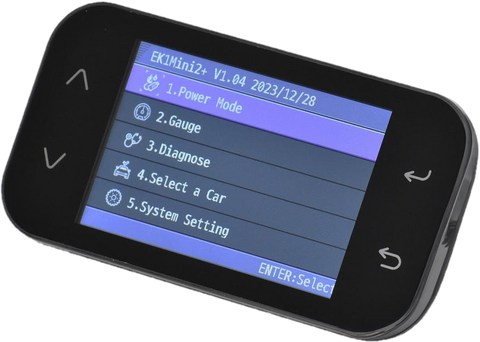
For Hyundai and Kia owners specifically, the EK1 Mini2+ ($949.99) and EK1 Pro ($1,399.99) offer excellent compatibility. Both allow flashing and logging on nearly all Hyundai and Kia ECUs and even some transmissions. The EK1 Pro includes a built-in LCD display and touch screen, making it ideal for in-vehicle mounting. The Mini2+ is more compact and portable.
Custom ECU Tuning Files: Request, Delivery, and Variants
When you submit a tuning request through a portal, you're not just buying a single file, you're requesting a custom calibration based on your specific vehicle and modifications. The tuner analyzes your baseline ECU, considers your engine's current state, and generates multiple variants so you can choose the one that best matches your fuel quality and driving preference.
A typical request includes three variants: a higher-octane tune, a standard tune, and often a specialty tune like anti-lag or flame settings. Some platforms, like N75 MotorSports, include all variants with your order at no extra cost.
The file delivery process works like this: you upload your ECU read file through the portal, specify your vehicle details and modifications, and request your preferred tuning options. The tuner reviews your file, generates the custom calibration, and uploads the modified files back to the portal. You then download them to your device and flash them into your ECU.
Getting Started: Step-by-Step Portal Workflow
Account Setup and Device Registration
The first step is creating an account on the tuning portal. You'll provide your email, create a password, and verify your identity. Most portals ask for basic information at signup: your name, location, and vehicle details. This information helps the tuning team understand your situation and respond to support requests faster.
Next comes device registration. If you're using a flash device like the EK1 Mini2+ or EK1 Pro, you'll need to register it on the portal or the device manufacturer's website. This step associates your device with your account and enables file encryption and cloud storage.

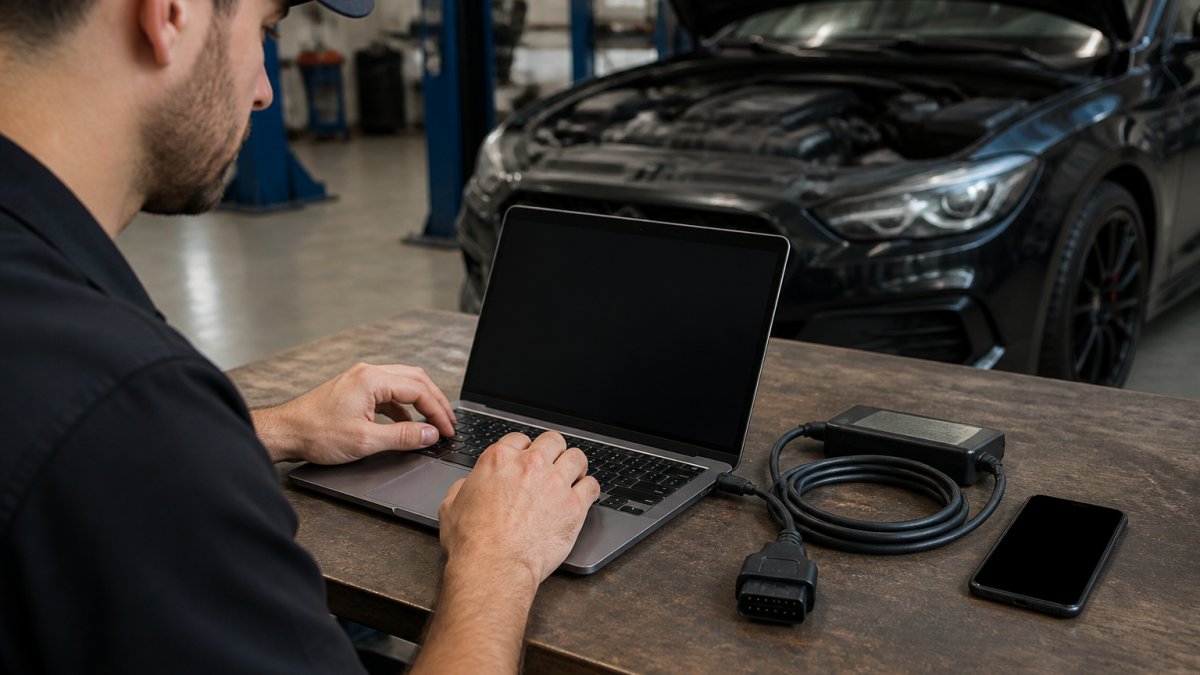
Device registration typically takes minutes. You'll input your device's serial number (found on the back of the unit), confirm your vehicle's VIN, and complete any firmware updates if needed. Once registered, your device can access tuned files stored in the cloud.
N Series Vehicle (Veloster / Elantra / Kona) OBD ECU Flash Tool via Cellphone →
Uploading Your ECU Read File
Before requesting a tune, you need to read your vehicle's current ECU file. This is a backup of your original engine calibration and serves as the baseline the tuner uses to create your custom file.
Reading your ECU is straightforward: connect your flash device to the OBD port, open the device's app or software, and select "Read ECU." The process takes 5-15 minutes depending on your vehicle and connection speed. The device saves the file to its SD card or cloud storage automatically.
Once you have your read file, upload it to the portal. Most platforms ask you to specify your vehicle's exact model year, engine type, and current modifications (turbo size, fuel injectors, intake, exhaust, etc.). This information helps the tuner calibrate your file correctly. Incomplete or inaccurate vehicle details are the leading cause of delays, so take time to get this right.
Receiving and Installing Your Tune
After the tuner completes your custom calibration, you'll receive notification that your files are ready. Download them directly from the portal to your device's SD card. The portal typically organizes files in folders (Maps, Logs, etc.) so you can find them easily.
Installing your tune involves connecting your device to the OBD port again, opening the app, and selecting "Write" followed by the tuned file you want to flash. The process is similar to reading, it takes 5-15 minutes. Once complete, your vehicle is running your custom tune.
Most platforms recommend logging your vehicle after flashing. This means recording real-time engine data during normal driving or a test run. Logs help the tuner verify that your tune is performing as expected and let them make refinements if needed.
Common Questions About Portal Support
How do I know which flash device to buy?
Choose based on your vehicle and future plans. If you want a device that works across multiple brands or might tune other vehicles later, the N75 Motorsports RTD ($399.99) offers flexibility through its credit system.
What if my file fails to write or my device shows an error?
Contact support immediately with your error code. Common issues include incompatible file formats, outdated device firmware, or loose OBD connections. Always update your device firmware before attempting to write a file.
Can I use the same device on multiple vehicles?
It depends on the device. VIN-locked devices like the N Series Vehicle OBD Flash Tool are paired to one car permanently.
How long do tuning files stay valid?
Your custom files don't expire. Once generated, they remain yours to use.
What payment options are available?
N75 MotorSports accepts flexible payment options including Afterpay and Klarna, making high-end tuning tools more accessible. Check the product page for current payment plans when ordering.
The online ECU tuning portal has transformed how enthusiasts approach performance tuning. What once required multiple trips to a shop and weeks of waiting now happens in days, often from your driveway.
Frequently Asked Questions
What information do I need to provide when requesting a custom ECU tuning file?
When submitting a tuning request through the online ECU tuning portal, provide your vehicle's VIN, make, model, year, ECU or ECU ID (read from your device), device serial number, any engine modifications you've made, and your desired tune variant (higher octane, pop and bangs, or standard). Upload your ECU read file and any wide-open throttle logs from your device. This data helps technicians create a precise tune matched to your specific engine.
How long does it typically take to receive a custom ECU tuning file from the portal?
Turnaround time depends on the provider's workload and the complexity of your tune request. After uploading your ECU read file and logs through the portal, you'll receive an initial base file for validation, then custom variants after reviewing your logs. Check your portal account for status updates and estimated completion dates.
Can I use an online ECU tuning portal if I've never tuned a car before?
Yes. The portal guides you through each step: device setup, account creation, file uploads, and tune installation. Most platforms include detailed instructions, video guides, and email support. Start by reading your ECU file using your device, upload it to the portal with your vehicle details, and wait for your tuned file. If you're unsure at any step, contact technical support before proceeding, they can clarify compatibility and walk you through the process.
What remote ECU tuning tools work best with online portals?
Dedicated OBD flash devices like the EK1 Mini2+ ($949.99) and EK1 Pro ($1,399.99) integrate seamlessly with online portals, storing unlimited maps and logs on SD cards. For Hyundai and Kia, the N Series cellphone flash tool ($1,299.99) lets you manage files and perform flashing directly from your phone. The RTD dongle ($399.99) supports multiple brands including Ford, GM, and Euro platforms. Each device connects to the portal to upload read files and download custom tunes.